Design Tooling
92 tools, 6 LLM reviewers, one cookbook demo. Enter hub password to unlock.
That's not right. Try again.
Making Things That Don't Look
Like Everyone Else's AI
A vetted, tiered inventory of the design skills, plugins, MCP servers, repos, and standalone AI tools worth knowing right now, for web, PDF & print, slides, and illustration. Built for honoring a specific characterful brief, not cloning the Anthropic homepage.
Research swept Apr, May 2026 · Reddit · X · YouTube · Substack · GitHub · Published May 31, 2026
The one thing to take away
There is no single tool that makes beautiful, characterful design across all four media. There is a stack you assemble per brief, and the load-bearing part isn't any tool, it's a vivid, specific brief plus your taste. AI is brilliant at surface (typography, color, layout) and helpless at substance (the exact nostalgia of a church-basement potluck). Name the substance; the tools render the surface. Everything below is scaffolding around that one idea.
Proof of conceptThe cookbook test
The acid test for "flexible design" isn't whether a tool makes a clean SaaS page. It's whether you can say "a page that looks like a 1970s church-basement potluck cookbook, pen-and-ink spot art, cream paper, hand-set serif, barn-red accent" and actually get it. So I built one, applying the principles below: one real Protein First Recipes recipe, styled from a single written brief, pen-and-ink illustration drawn as inline SVG, zero stock photos.
↑ Live render (interactive). This is HTML+CSS+SVG, exactly what would feed a WeasyPrint/Playwright → PDF pipeline. Open full screen ↗
Same brief, run through every free tool I can actually invoke
The page above was hand-built applying the principles. Fair critique: that shows the method, not the tools. So here is the same cozy-cookbook brief and the same recipe run through eight free tools (skills, a free image service, a browser-free Excalidraw engine, and plain code) separately, so you can see how each one's method shapes the result. The brief is held constant; only the tool changes. Three of the eight are dedicated pen-and-ink illustration tools, because a color/type tool like theme-factory can't draw, and real graphics need a real image tool.
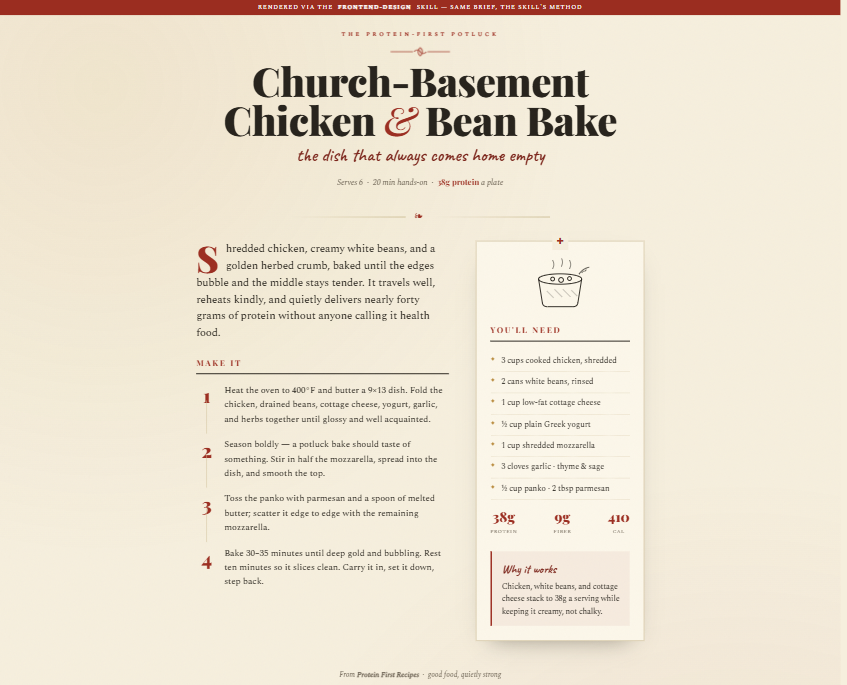
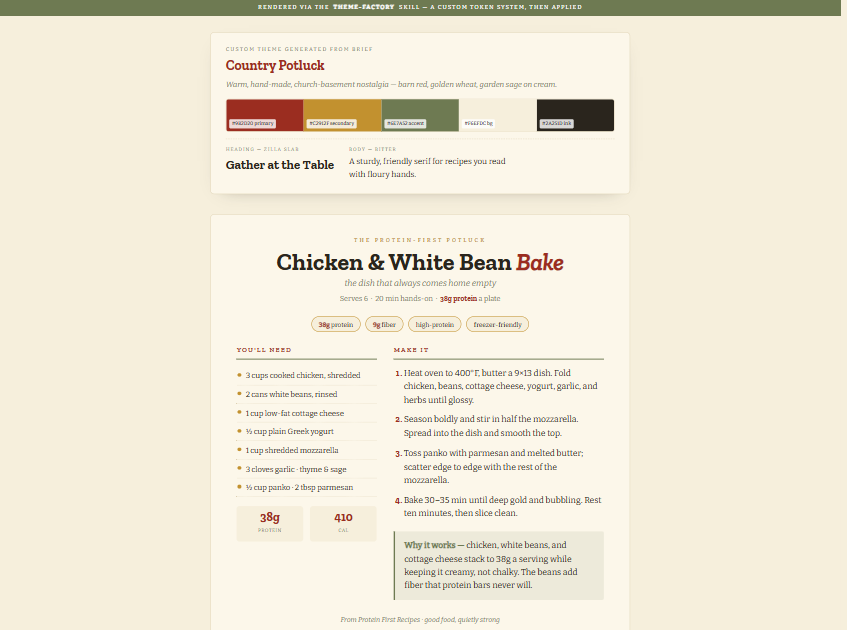
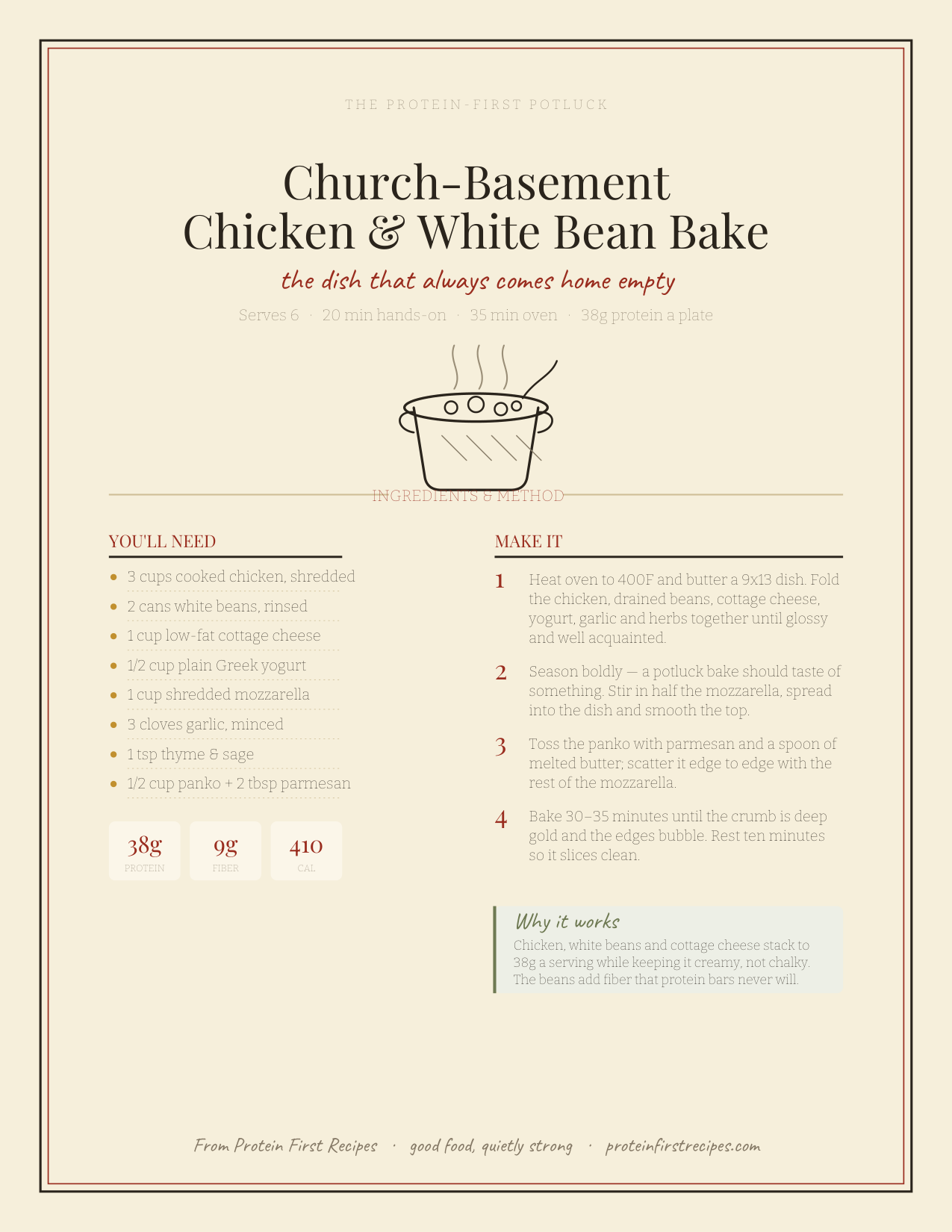
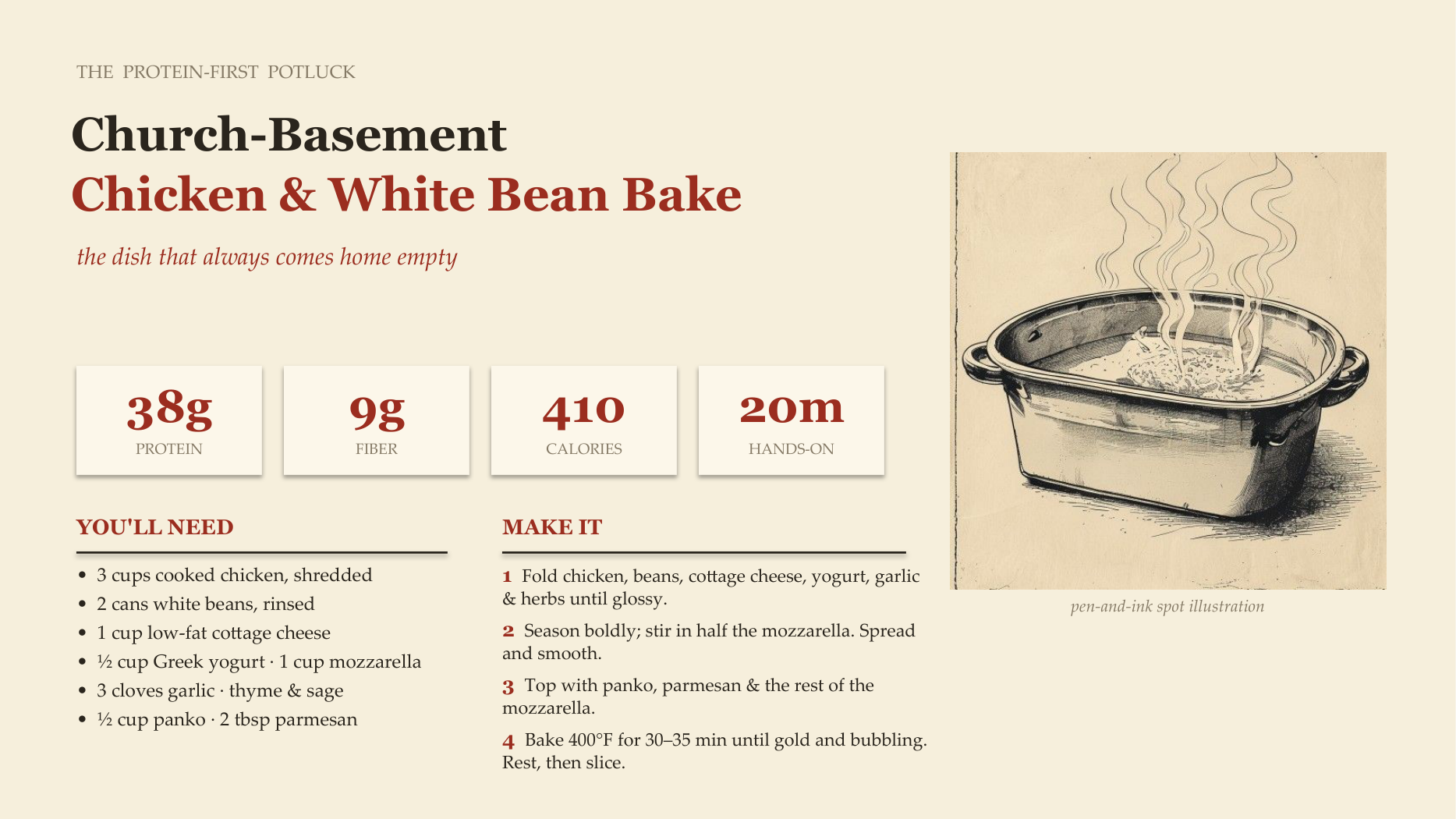
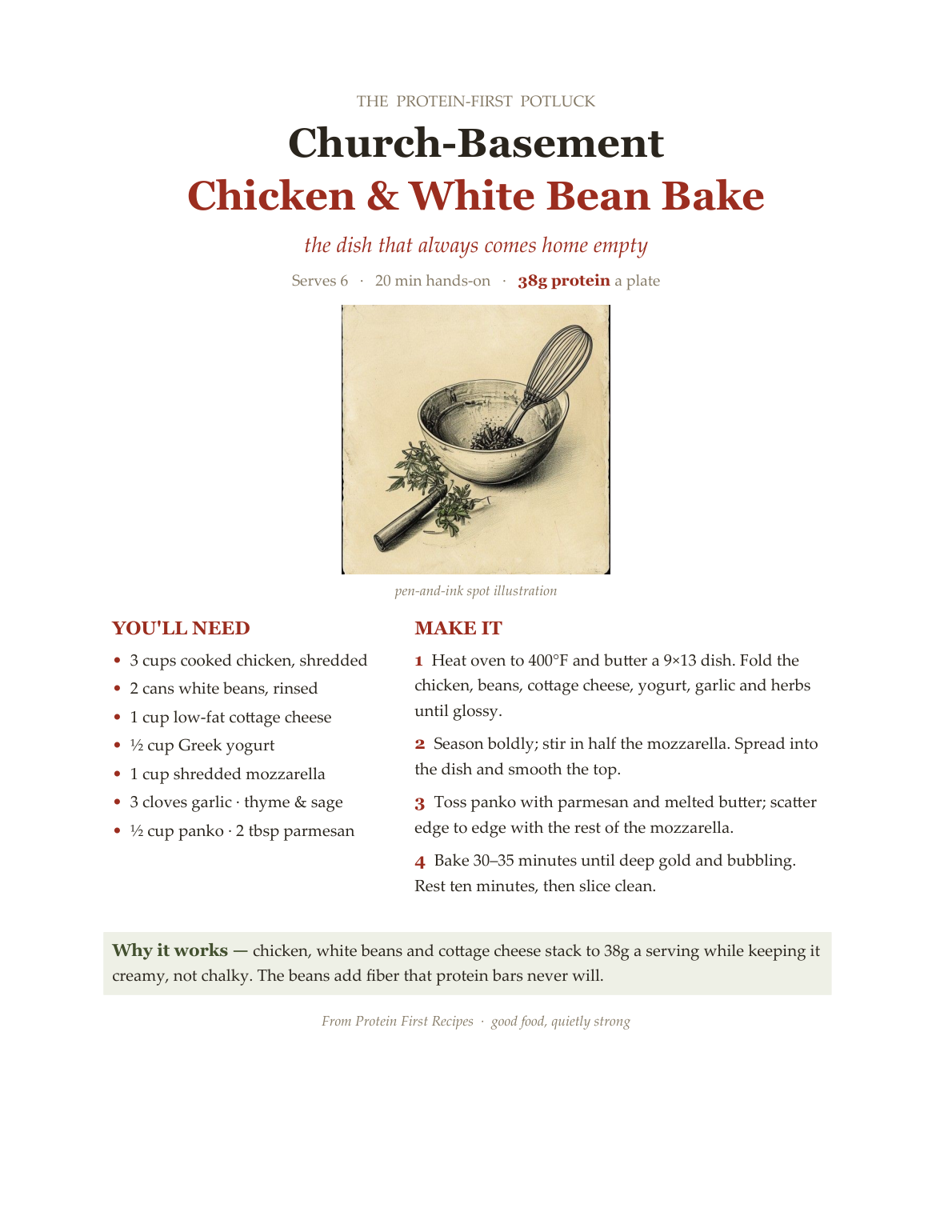

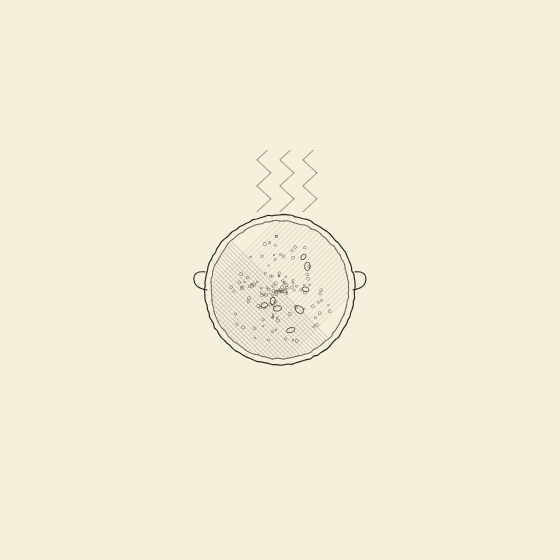
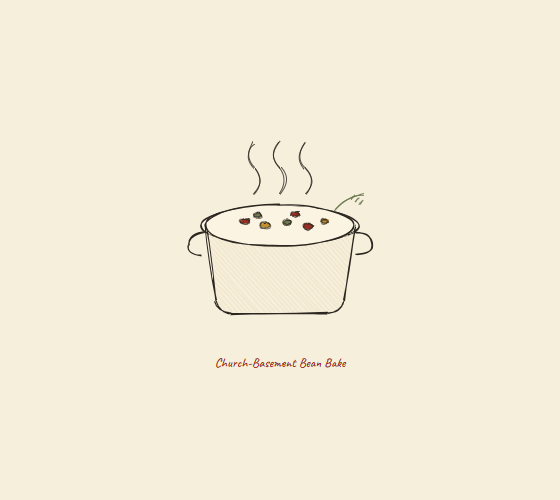
Same recipe, same palette, eight free tools, eight visibly different artifacts across web, PDF, slides, Word, and three kinds of pen-and-ink illustration (AI, code, and the Excalidraw engine). That spread is the aesthetic flexibility the inventory claims, and every one cost nothing.
Same theme, different web designs: country / craftsy / recipe
You also asked to see web pages in a country, craftsy, recipe style, and more than one, to show range. Here are three full pages, all the same "warm, hand-made, high-protein" theme, but three genuinely different aesthetics. Same idea; different feeling. (Built with the frontend-design method; the food art is the free Pollinations pen-and-ink.)
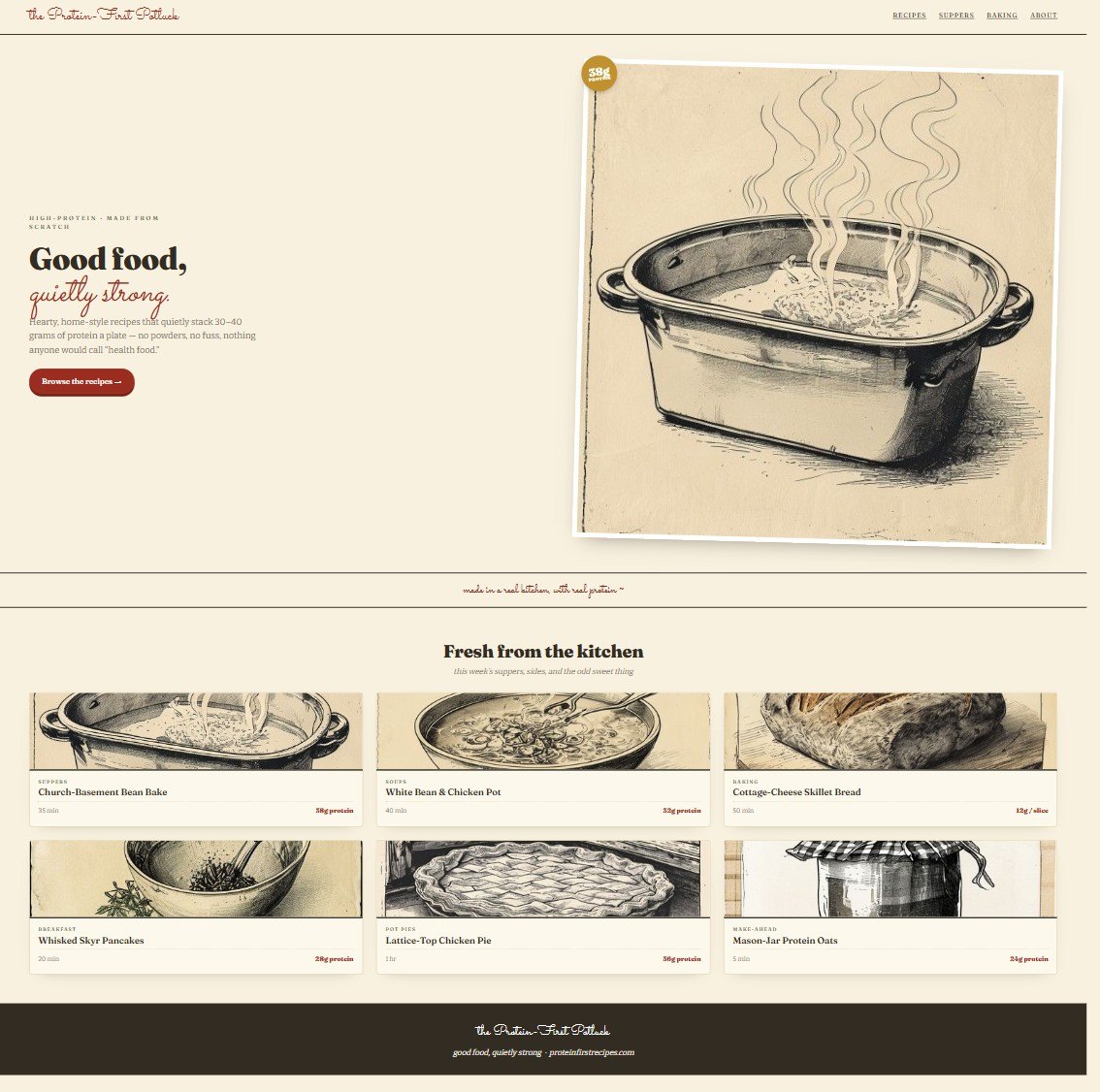
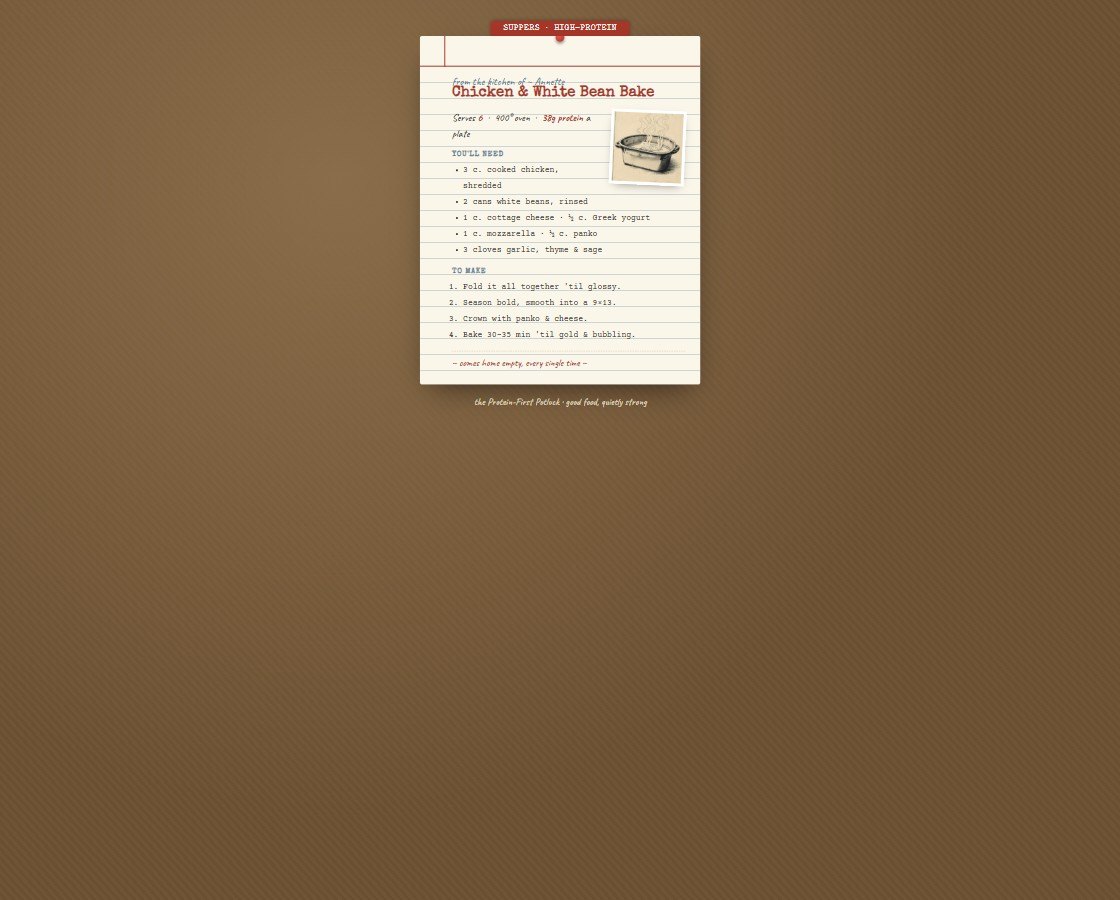
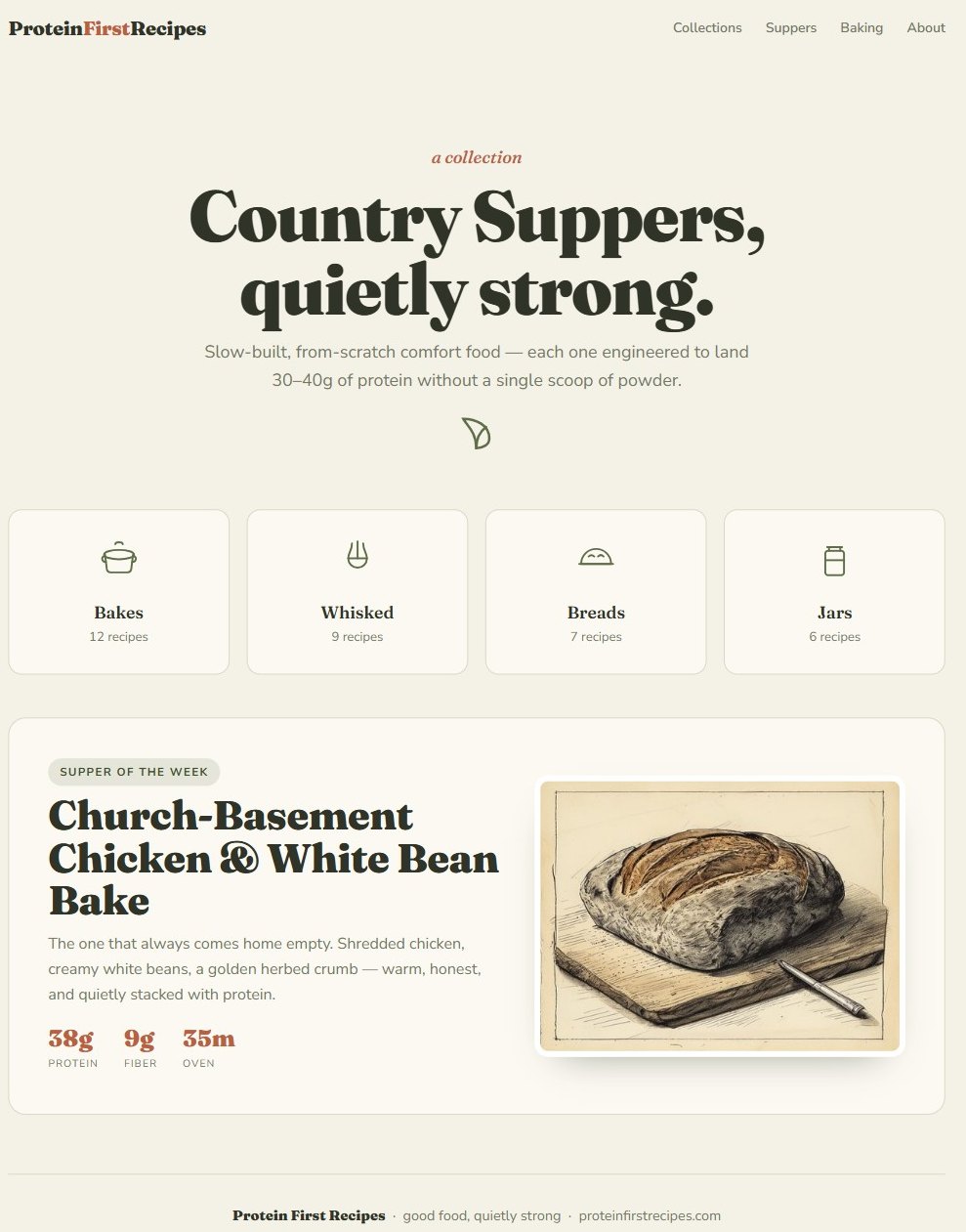
Three takes on one theme, proof the same "country recipe" brief can land warm-and-scripty, nostalgic-vintage, or clean-and-modern depending only on how you direct it.
Driven live in your accounts: Recraft + Krea
These two need a login (and credits), so they aren't "free" like the gallery above, but they're the heavyweight illustration tools the inventory rates highest, so I drove them live in your browser to show what they actually produce on the same cookbook brief.


Same brief, two very different "hands", Recraft's crisp engraved vector vs. Krea's soft watercolor. Both real, both pulled from your own accounts.
What I still can't self-demo (and why)
Eight free tools plus three web designs is a real spread, but it's not everything. A few items still can't produce a demo from inside this session without your login or money. Here's exactly what can and can't be self-demoed, and why:
| Tier 1 item | Self-demo? | Why |
|---|---|---|
| frontend-design | ✓ Shown | Installed skill, built the web demo above |
| theme-factory | ✓ Shown | Installed skill, generated & applied the custom theme |
| pdf skill | ✓ Shown | Installed skill, rendered the real .pdf above |
| canvas-design | ✗ Can't | Not installed in this session's skill set |
| Recraft | ✓ Shown | Driven live in your browser (logged in), hand-drawn storybook style |
| Krea | ✓ Shown | Driven live in your browser, Krea 2 watercolor still life |
| Ideogram | ⚠ Blocked | Your API key is valid, but the account has $0 balance, needs credits to generate |
| NotebookLM | ⚠ Pending | Google session keeps expiring before the login completes, re-auth needed |
| Affinity Publisher | ✗ Can't | Manual GUI desktop app, no headless/API path |
| Playwright / WeasyPrint | ⚙ Engine | Rendering engines, not aesthetic generators, already used to produce the PDFs here |
So all seven demos above are genuine free-tool output; the three crossed-out ones would need your accounts, a GUI, or paid credits. I'd rather show you real artifacts and name the gaps than fake them.
The actual skillHow to steer AI to any aesthetic
The tools matter less than the method. These ten principles are the difference between "make it nice" (drifts to slop) and getting a specific characterful look on command:
- Commit to a named direction before a single line of CSS. Vague briefs drift to safe defaults.
- Name a cultural reference, not an adjective. "Cozy" fails. "Mid-century Betty Crocker cookbook, pen-and-ink, cream uncoated stock" succeeds, the model has rich priors for concrete references and almost none for moods.
- Guide each design dimension separately, one sentence each for type, color, texture, motion, layout. Beats a paragraph of vibes.
- Explicitly forbid the defaults: Inter/Roboto/Arial, purple gradients, rounded SaaS cards, blinking dots, and dark backgrounds (your hard rule).
- Prefer token-locked skills over vibe-based ones so the aesthetic can't quietly collapse back to defaults mid-build.
- Separate content / style / assets, Markdown content, a theme for look, illustrations as embedded SVG. Makes a characterful result reproducible, not a lucky one-off.
- Lock the theme across generations via one source-of-truth theme file, so a multi-page book stays coherent.
- For illustration consistency, TRAIN a style, don't prompt one. Plain prompting can't hold one "hand" across 40 cookbook drawings.
- Give the agent eyes, then iterate, preview/screenshot MCPs so Claude sees its own output and corrects drift.
- AI to diverge, your taste to converge, generate 3-5 directions fast, then your eye picks and refines the winner.
The stackWhat's worth using, by tier
Ranked for aesthetic flexibility, not popularity. Star counts deliberately ignored, they don't predict whether a tool bends to a warm, hand-drawn brief.
Anthropic's official anti-slop primitive. Forces a committed, named aesthetic (organic, editorial, art-deco, pastel…) and bans generic fonts/gradients before any CSS. Aesthetic-agnostic by design, so it leans into "cozy potluck" rather than defaulting to SaaS.
watch, it's a ~50-line prompt; quality still depends on you naming the aesthetic. Web/HTML only. SKILL.md ↗
The cross-media glue. Mints a custom color+font theme from a plain-English brief and applies it identically across HTML, docs, and slides, the one tool that buys cross-deliverable coherence. SKILL.md ↗
watch, themes are color/type, not layout or illustration.
The actual file-output engines. They turn a styled HTML/theme into real .pdf and .pptx. Mechanical, not tasteful, they execute the aesthetic the other tools define. anthropics/skills ↗
The secret weapon for single-page art, covers, potluck flyers, chapter dividers. Invents a named design philosophy and treats your brief as conceptual DNA. Note (per review): it generates art from scratch, it can't ingest your other SVGs. Use it for standalone covers, not as a step that consumes external assets.
The wiring that makes any of this a real PDF. On your Windows machine, prefer Playwright, WeasyPrint depends on GTK3 and is a known install headache on Windows (flagged by the build-feasibility reviewer). WeasyPrint ↗
The illustration workhorse: trains a reusable custom style from your own pen-and-ink references and exports native SVG vectors (print-crisp). Solves consistency-across-a-book + print line art. Demoted from "the one tool worth paying for" after review, it's strong but not magically superior to a Midjourney+Ideogram+Affinity path, and cross-hatch fidelity drifts. Co-equal, not non-negotiable. recraft.ai ↗
Promoted after review as the real print gap-closer. The only free tool for true press-ready PDFs, CMYK, bleed, master pages, that HTML-to-PDF can't match. The escape hatch when a cookbook actually goes to KDP. Now free "forever" under Canva (since Oct 2025). Canva newsroom ↗
watch, it's a manual pro tool; real layout skill required.
Token-locked "Organic" (sage/clay/terracotta, humanist serif, grain) and "Lo-Fi" (riso, halftone) anchors that won't drift back to SaaS. Pair with the official skill for a hard lock.
The standout characterful-deck tool: a visual "discovery" step shows 3 distinct previews to pick from, authors a custom warm/editorial system, exports clean PDF. (HTML decks; PPTX needs the html2pptx bridge.)
Tunable DESIGN_VARIANCE / DENSITY dials for airy editorial feel. Caution: ships a "dark premium OLED" default that fights your bright-background rule, override it explicitly in project CLAUDE.md (force cream #FDFBF7, forbid dark). repo ↗
The typography-in-image finisher, accurate hand-lettered recipe-card titles that Recraft/Midjourney fumble. Use only where text is inseparable from art; for plain titles, real CSS type renders crisper. ideogram.ai ↗
Clone it, strip Anthropic's identity, write the Protein First Recipes version (exact hex, fonts, illustration rules, banned elements). Becomes an always-on brand skill so every artifact inherits the cozy identity with no re-prompting.
The best curated DESIGN.md library, "Warm Editorial" & "Cult/Indie" families plus a "break default aesthetics" prompt pack. Reference, not magic; brands skew tech and need adapting. repo ↗
Khroma + Fontjoy (palette + type pairing → CSS tokens) · Napkin AI & diagram-design (hand-drawn protein-pyramid / build-a-plate figures as SVG) · Excalidraw MCP (genuinely hand-drawn dividers with a screenshot feedback loop) · Krea (LoRA-trained painterly/watercolor variant for hero moments, raster).
- Midjourney (V7 stable / V8 alpha), highest aesthetic ceiling for painterly hero plates; no vectors, weak in-image text.
- Slidev (+cc-slidev), code-native, version-controlled decks; heavier, sober-technical.
- Gamma, most flexible mainstream GUI deck tool; gravitational pull toward clean defaults.
- Inkfluence AI, nails cookbook structure (dividers, dietary chips, KDP index) for a fast draft you then re-skin; house style is clean-modern.
- react-pdf skill, component-driven reusable recipe-card layouts; heavier JS pipeline.
- design-review / design-shotgun (SkillKit), divergence + AI-slop QA gate; web-only.
- book-to-skill, feed it a real cookbook-design book; Claude gains a citable, non-generic design education.
- Figma MCP, SuperDesign, Recraft MCP, integration plumbing; valuable once a workflow settles.
Tome (deprecated) · Beautiful.ai, v0, Lovable, Bolt, Replit Agent, Genspark, Framer AI (enforce modern-SaaS / dark-gradient-bento defaults) · VoltAgent catalogs (dark dev/SaaS brands, useful only to learn the DESIGN.md format) · Subframe, ui-ux-pro-max (heavy product/UI frameworks) · the 1-star MCPs (branding-mcp, claude-design-mcp, Picsart), unproven, add setup cost.
The controversial one: Claude Design (Labs)
Powerful, spans all four media, but optimized for brand consistency (apply YOUR system everywhere), not per-piece reinvention, and it reverts to a generic startup look without a strong system fed in. It's the literal source of the "everything looks like Anthropic" problem. Skip it now; it graduates to Tier 2 the moment Protein First Recipes has a locked, specific cozy brand, then its consistency bias becomes the feature.
Verified additions (the reviewers' real finds)
- Vectorizer.AI, clean raster-to-SVG; turns scanned/AI ink art into crisp print vectors. Directly attacks the cross-hatch gap. ↗
- Glyphr Studio, free browser vector font editor; craft a bespoke "potluck scribble" typeface. ↗
- Typespiration, curated eccentric/editorial font pairings + CSS. ↗
- Runway MCP, official, works with Claude, for animated recipe reels (current models, not "Gen-3"). ↗
Put it togetherCombination recipes
Each has a Quick path (start here, 3 steps) and a Full craft path (the works, broken seams already fixed). Don't reach for the full stack until the quick path isn't enough.
① Cozy potluck cookbook PDF, pen & ink
- Write the vivid brief in CLAUDE.md (name the reference, forbid the defaults).
- frontend-design lays out the recipe as HTML/CSS; real CSS type for titles; Excalidraw MCP for a couple of hand-drawn dividers.
- Playwright → PDF. Done. (This is exactly how the demo above was made.)
- Brief in CLAUDE.md · palette in Khroma, type in Fontjoy (manual transcription, they're click-UIs, not prompts).
- theme-factory mints a reusable theme from the brief.
- Recraft: train a style on 4-6 ink references, batch the spot art, export SVG (embed as
<img>, not inline, for clean PDF rendering, PNG fallback if an SVG breaks). - canvas-design for the cover only (it can't ingest your SVGs).
- HTML/CSS Paged Media layout → Playwright PDF.
- Going to KDP? Final press PDF (CMYK/bleed) in Affinity Publisher, placing the WeasyPrint/Playwright pages + Recraft SVGs.
② Editorial / riso-zine recipe website
- Official frontend-design skill + a "Warm Editorial" DESIGN.md dropped in the project root.
- Same Khroma/Fontjoy tokens as the cookbook, so web + print share one brand.
- Preview, screenshot, run design-review, deploy.
- Add Ilm-Alan/frontend-design "Lo-Fi/Organic" anchor for a hard token lock.
- Add taste-skill, but force light/cream backgrounds in CLAUDE.md (neutralize its dark default).
- Embed Recraft spot SVGs + Napkin AI process figures.
- design-review slop gate → deploy via the deploy-site skill to Cloudflare Pages.
③ Characterful pitch / media-kit deck
- Claude writes the outline + copy first (content before styling).
- frontend-slides discovery step → pick a custom warm/editorial system, export PDF.
- Same theme-factory tokens for brand match.
- Drop in Recraft spot art + a Midjourney hero plate per section opener.
- Need editable PowerPoint? Run the html2pptx bridge in the pptx skill (expect some cleanup).
- Gate with a slide-quality checker before sending.
④ Reusable brand-illustration system (lock one "hand" everywhere)
- Write a specific brand spec (exact hex, fonts, "single-weight pen-and-ink line, no shading, barn-red spot only", banned elements).
- Train it once in Recraft as a custom style; store approved SVGs in a version-controlled
/assetsfolder. - Reference that folder everywhere.
- Encode the spec as a cloned brand-guidelines skill (always-on, auto-applies).
- Add a Krea LoRA for painterly hero variants · Ideogram Style Reference for lettered assets · canvas-design for full compositions.
- Once the brand is concrete, feed it to Claude Design as the distribution layer across web/PDF/PPTX/social.
Honest limitsWhere AI stops and craft begins
- No free InDesign-grade typesetting. HTML-to-PDF is good for screen, decent for print, but weak on real kerning, optical margins, true CMYK. For a sold KDP book, finish in Affinity.
- Illustration consistency is imperfect and costs money. Trained styles are the best available, but they drift on new poses and burn credits at cookbook volume. Expect to hand-cull.
- True pen-and-ink cross-hatching is the hardest style for every model and every vectorizer. Upload your own plates; touch up in Affinity/Illustrator.
- No one tool spans all four media with both flexibility and consistency. The answer is a stack, which means orchestration overhead and several accounts.
- The human-taste bottleneck is real and unavoidable. AI nails surface; you supply the substance. That's the differentiator that makes it not look AI-generated.
Quality controlThe six-LLM gauntlet
Before publishing, this inventory was attacked by six independent LLMs, each on a different angle, plus a programmatic check of all 92 source links. This is what they caught, and what they got wrong.
| Reviewer | Angle | Score | Headline finding |
|---|---|---|---|
| Gemini 2.5 Pro | Fact integrity | Low trust | Duplicate/conflated entries; flagged Nano-Banana-Pro & Claude-Design as fake (both turned out real) |
| GPT-5 | Recency claims | Mixed | Inflated, unverifiable star counts; duplicate entries with clashing dates |
| DeepSeek V3.1 | Coverage gaps | 4 / 5 | Named real adds (vectorizer, Glyphr), but half its "missing tools" were its own hallucinations |
| Llama 3.3 70B | Aesthetic BS test | 4.2 / 5 | Core picks are mechanism-backed; the skip-list is correctly asserted-only |
| MiniMax M2 | Recipe feasibility | 3 critical seams | The cookbook recipe didn't execute as written, fixed (canvas-design, Ideogram, WeasyPrint-on-Windows) |
| Grok 4.20 | Contrarian | 2 / 5 | "Recraft is hype; recipes are Rube Goldberg machines; the real lever is better briefs" |
What changed because of the review
Recraft demoted from "the one tool worth paying for" to a co-equal Tier 1; Affinity promoted as the print gap-closer; the cookbook recipe's three broken seams fixed; Playwright made the default PDF engine on Windows; star counts dropped as a ranking signal; Midjourney corrected to V7/V8-alpha; duplicate entries merged. Grok's core jab, "the real lever is a better brief, not another tool", was promoted from a buried gap to the headline at the top of this page.
And the meta-lesson: the reviewers needed reviewing too. Gemini wrongly called two real products hallucinations; DeepSeek invented tools that don't exist ("Scripter.dev," "Pika Artbreeder"). Every correction above was independently fact-checked before it went in. Trust, but verify, even the skeptics.
Methodology: a 9-agent background research workflow swept Reddit, X, YouTube, Substack, and GitHub for the Apr, May 2026 window (~796k tokens), producing 92 vetted tools across web / PDF / slides / illustration. Synthesis ranked them for aesthetic flexibility. Six LLMs (via OpenRouter) ran adversarial review; all 92 source links were HTTP-checked; five high-impact facts were independently verified before publishing. Built by Charlie for Annette · May 31, 2026 · ← back to hub